
Cummins INSITE vs Generic Heavy-Duty Scanners: Which Diagnostic Tool?
Short answer: If every engine you service is a Cummins, INSITE is the deeper tool — it exposes Cummins-specific fault detail, injector trim and service routines that generic software simply does not show. If your fleet is mixed, a generic heavy-duty scanner earns its place first, because one box gets you codes, live data and actuator tests across Cummins, Detroit, Volvo, CAT and PACCAR. The expensive mistake is not choosing the wrong brand — it is buying the software before confirming the interface you already own will talk to it.
What Each Tool Actually Is
Cummins INSITE
INSITE is Cummins' own PC-based service application for its engines. It is the tool a Cummins-trained technician reaches for, and it is built around Cummins ECMs rather than around a generic fault-code table. In practice that means deeper fault information, cylinder-level and injector-level data, service routines tied to Cummins procedures, and access to parameters and calibration functions that third-party software generally does not reach.
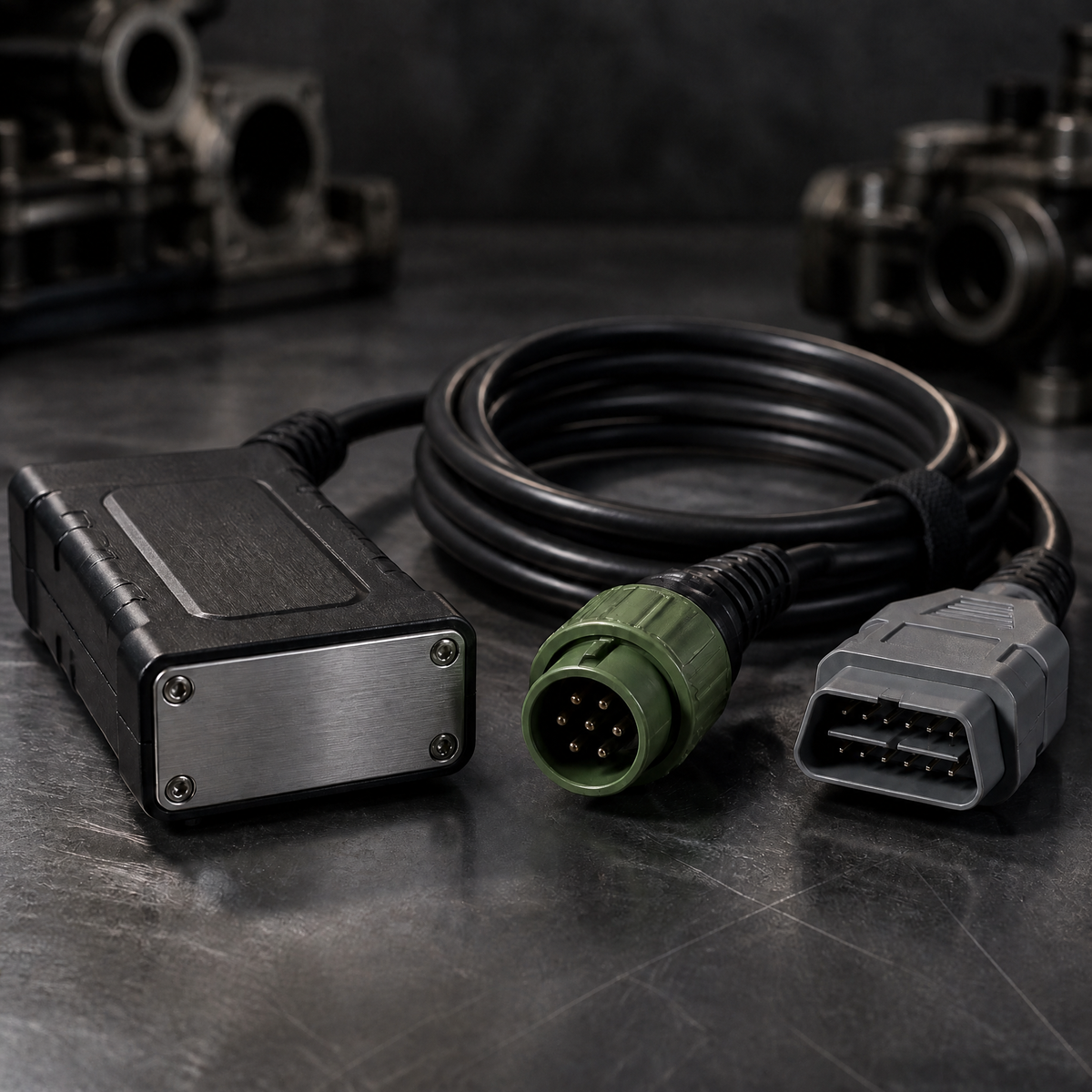
INSITE is a Windows application that needs an interface between the laptop and the engine's data link. That is where the Cummins INLINE adapter comes in — a kit such as the INLINE 6 data link adapter bundled with INSITE 8.7 Pro gives you the adapter and the software in one purchase, which is the configuration most Cummins-only workshops want.
Generic heavy-duty scanners and interfaces
"Generic scanner" covers two different things, and buyers routinely confuse them.
The first is a self-contained handheld or tablet scanner: a device with its own screen and its own built-in software, aimed at reading and clearing codes across many brands. It is fast, it does not need a laptop, and it is ideal at the roadside.
The second is a J1939 interface — a box that does nothing on its own and exists purely to translate between the truck's data link and whatever software is running on your laptop. The Nexiq USB Link 2 is the classic example: it is a multi-protocol heavy-duty vehicle interface that workshops pair with whichever brand software they need that day.
The Mistake That Costs the Most: Buying Software Before Checking the Interface
This is the single most common way money gets wasted. A workshop buys a software licence, plugs in the interface it already owns, and discovers the software does not recognise the adapter. The laptop sees the device; the application does not.
Two things cause it. First, adapter-to-software compatibility is not universal — an interface that works perfectly with one OEM's software may not be accepted by another's. Second, there is a whole class of cloned interfaces on the market that identify themselves differently from the genuine article, and software vendors periodically lock those out.
The practical rule: decide the software, then confirm the supported interface list, then buy the adapter. Not the other way round. If you are buying a bundle, buy it as a bundle — kit pricing exists precisely so that the adapter, cables and software are known to work together.
Head-to-Head: Where Each Tool Wins
Engine coverage
INSITE covers Cummins engines and nothing else. That is not a weakness; it is the reason it goes deeper. A generic interface plus multi-brand software covers far more engines, but the depth you get per brand depends entirely on which software package you license.
If you service Cummins plus one other brand heavily, the honest answer is that you eventually own both. There is no single tool that is simultaneously cheapest, broadest and deepest.
Diagnostic depth
For Cummins work specifically, INSITE wins on depth: fault information, live parameters, injector trim and service routines are all presented at the level a Cummins procedure expects. Generic code readers will show you that a fault exists. INSITE is built to help you complete the repair.
For everything else, the generic route wins on breadth. If your job is "read the code, decide whether the truck goes to the dealer", a generic scanner finishes that job in two minutes and INSITE cannot help you at all with a Detroit or a Volvo.
Ease of use and technician time
A generic scanner wins the first five minutes: plug in, read codes, done. INSITE costs more time up front — you need the laptop, the right adapter and the correct engine selection — but that time is repaid on any job that goes past code reading. If your technicians are diagnosing rather than just clearing, the deeper tool shortens the actual repair. If they are triaging, the fast tool wins.
Cost and licensing
INSITE is licensed software tied to Cummins' licensing model, and the terms — subscription period, which features are included, whether calibration functions are enabled — matter more than the sticker price. Read the licence terms before you buy, not after.
Generic tools split into two groups. Genuine interfaces are a straightforward hardware purchase that works with software you license separately. Cheap kits from marketplaces frequently bundle software whose licence status is unclear, which creates real problems later: no update path, no support when a newer ECM firmware locks the tool out, and no recourse.
Updates and long-term ownership
New engine generations and new ECM firmware are the long-term risk for any diagnostic tool. A tool that cannot be updated quietly becomes a code reader for older trucks. Whatever you buy, confirm there is a documented update path — that is worth more than a small saving at purchase. Ask the seller two questions before you pay: how updates are delivered, and whether a tool bought today will still connect to a 2026 or 2027 model year ECM. A vague answer is itself the answer.
When INSITE Is the Right Purchase
Choose INSITE when most of your work is Cummins: ISB, ISC, ISL, ISX, QSB and the B/C/L series in industrial and generator applications. It is also the right call when you need to go beyond reading codes — injector trim, parameter changes, service routines and the kind of data a Cummins repair procedure actually references. If you already own a compatible interface, you may only need the software; if you are starting from nothing, a bundled adapter-plus-software kit is the cleaner path. When you do open INSITE on a Cummins, put these values on screen first: commanded versus actual rail pressure, boost and intake manifold temperature, EGR and VGT actuator response, DPF soot load and regeneration status, and any active derate or torque-limit flag. Those six cover the large majority of real-world Cummins complaints, and all six are easier to read in INSITE than through a generic code reader.
When a Generic Scanner Is the Right Purchase
Choose a generic scanner or interface when your fleet is mixed and your first question is always "what is this truck complaining about?". Multi-brand code reading, live data on several protocols, and the ability to add brand software as you need it — that combination is far more valuable across a mixed yard than deep coverage of one brand.
For heavy-truck workshops, the interface-plus-software model is usually the better long-term buy than a sealed handheld, because the handheld's coverage is fixed at purchase while the interface's coverage grows as you add software. Compare the Volvo diagnostic kit with the Cummins bundle above and you can see the pattern: same idea, different brand software.
A Buying Checklist
Before you pay, confirm all six:
- Which engines — list the actual engine families in your yard, not the brands you might service one day.
- Software first — pick the application, then confirm its supported interfaces.
- Interface identity — genuine versus clone, and whether the software accepts it.
- Licence terms — period, feature set, whether the functions you need are included.
- Update path — how new firmware and new model years are handled.
- Cables — 9-pin Deutsch is standard on most heavy trucks, but agricultural and industrial machines frequently differ, and the wrong cable ends the job before it starts.
Where to Buy Diagnostic Tools
WDPART supplies Cummins INLINE 6 kits with INSITE software, multi-brand heavy-duty interfaces such as the Nexiq USB Link 2, and brand-specific diagnostic kits for Volvo, Isuzu, CAT, Perkins, Yanmar, Hino and others. Start from the Cummins parts collection for engine-side components and adapters, or search the catalogue by adapter part number if you already know the interface you need.
Once you have live data in front of you, the next step is usually decoding what it says. Our Cummins SPN code list and diagnostic guide covers fault code structure, and inspection of Cummins injectors walks through the component most often implicated when fuel-side codes appear.
Bottom line: buy the software that matches the engines you actually service, confirm the interface it accepts, and only then choose between a Cummins-specific kit and a multi-brand setup. Choosing the brand is the easy part — the interface and licence terms are where the money is won or lost.


